Send Abandoned Cart Information to SMS and Email Providers
You can configure Phoenix to send abandoned cart information to your email and SMS providers. This setup allows you to trigger follow-up campaigns, recover potential sales, and track customer activity when a checkout is not completed.
Abandoned cart settings are configured at the store level and apply to all abandoned cart alerts generated for that store.
Use Cases
The abandoned cart configuration supports several common operational scenarios.
Recovering Abandoned Checkouts
You can trigger automated SMS or email campaigns when customers leave checkout without completing their purchase, increasing recovery rates.
Running Targeted Marketing Campaigns
You can choose how much cart detail is sent based on whether you need full order data or only customer contact information.
Tracking Abandoned Orders in Shopify
You can record abandoned carts as tagged orders in Shopify, making it easier to analyze customer behavior and campaign performance.
Access Store Settings
To begin, navigate to the store where you want to configure abandoned cart alerts.
-
Log in to your Phoenix Dashboard.
-
In the left navigation menu, go to Stores.
-
Locate the store you want to configure and click the Edit icon (pencil) next to the store.
-
Select the Other Options tab.
-
Scroll to the bottom of the page to locate the abandoned cart settings.
/custom html
Configure Abandoned Cart Alert Options
Phoenix allows you to control how much information is sent to your SMS and email providers when a cart is abandoned. Each option determines what customer and order data is included.
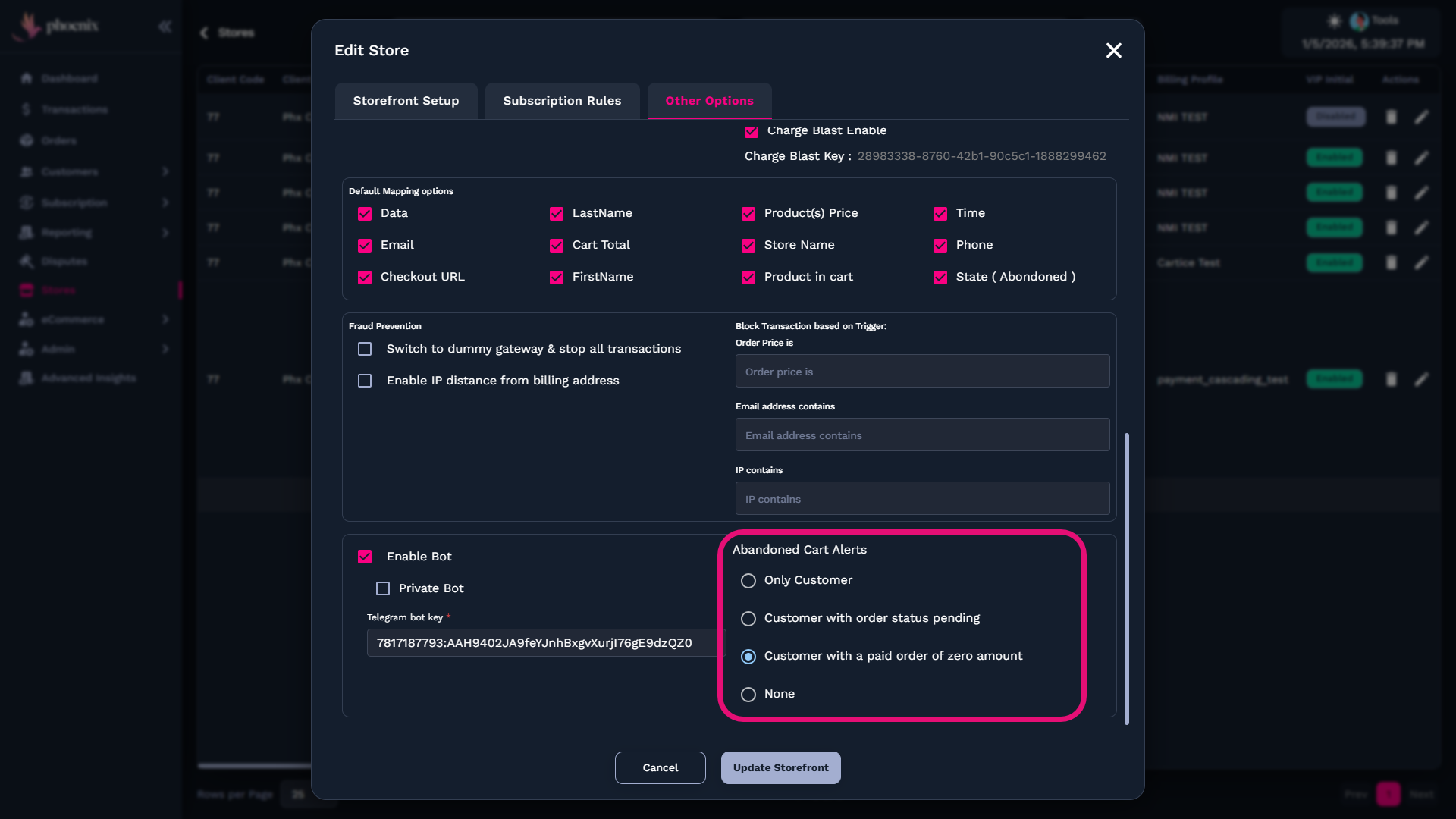
Review the available options below and select the one that best fits your campaign strategy.
Only Customer Required
This option sends only customer information to your email or SMS provider. It does not include product details, quantities, or cart items.
You typically use this option when running a general marketing campaign or when your store sells a single product and detailed cart data is not required.
Customer With Order Status Pending
This option sends customer information along with an order marked as pending. The order is tagged as an abandoned cart in Shopify.
You may prefer this option if you want abandoned carts to appear as pending orders for tracking or reporting purposes.
Customer With Paid Order of Zero Amount
This option creates an order with a paid status and a total amount of zero. The order is also tagged as an abandoned cart in Shopify.
You might use this option if you want abandoned carts recorded as paid orders with no charge, depending on how you manage reporting and integrations in Shopify.
Both order-based options behave similarly. The difference depends on how you prefer abandoned carts to appear in your Shopify order list.
When you select Customer With Order Status Pending or Customer With Paid Order of Zero Amount, Phoenix creates orders in Shopify for tracking purposes only.
These orders should not be fulfilled.
To avoid confusion, make sure your fulfillment provider understands that abandoned cart orders do not require fulfillment.
Use Klaviyo Integration for Abandoned Carts
Phoenix offers a direct integration with Klaviyo for abandoned cart tracking.
If you plan to use Klaviyo, locate the Klaviyo section within the store settings and enable the integration. After enabling it, notify the Phoenix team so they can assist with setup and ensure the integration works correctly.
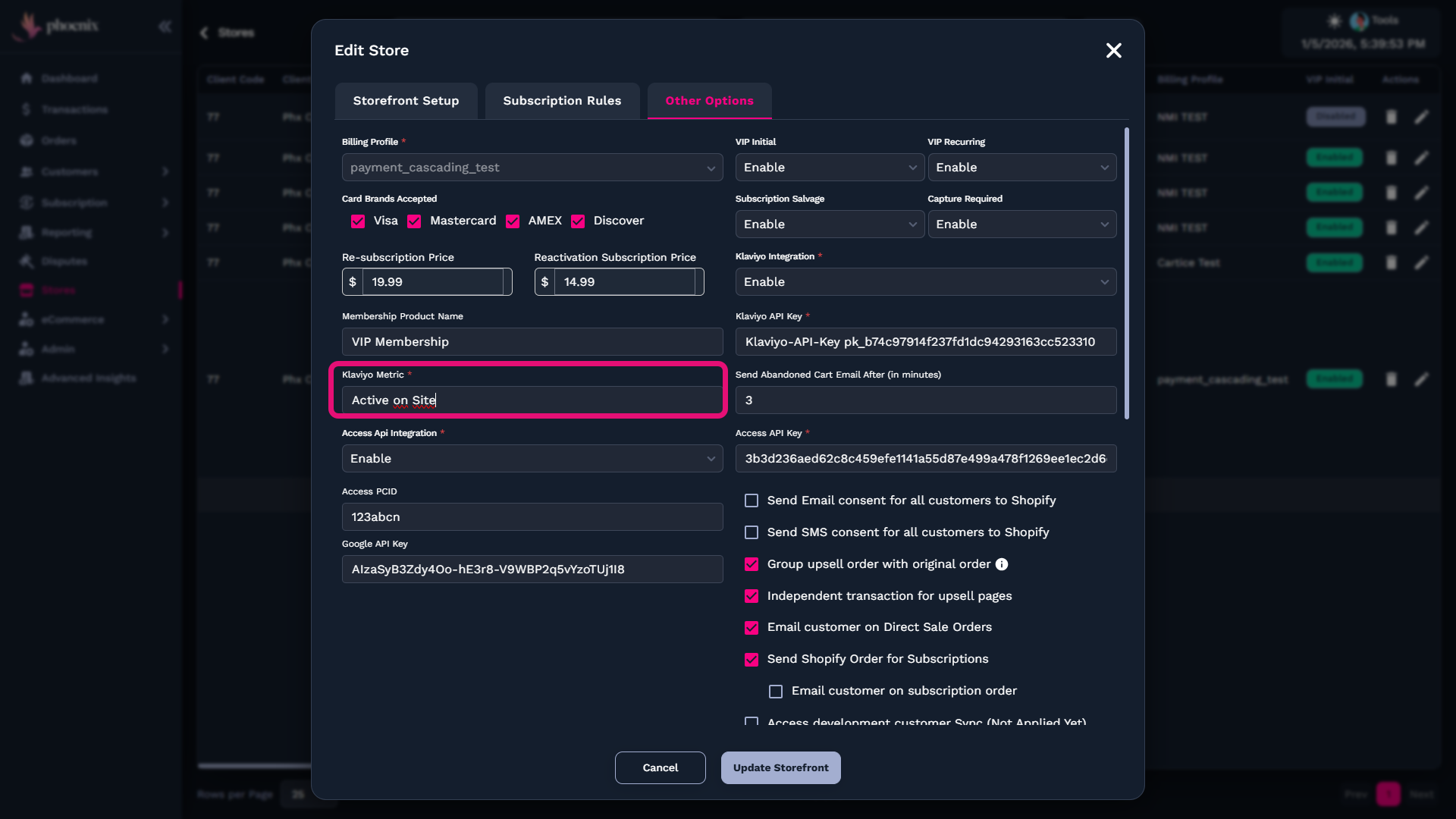
This allows you to send abandoned cart events directly to Klaviyo and automate email and SMS recovery campaigns.
Save Your Changes
After selecting your abandoned cart alert option and configuring any integrations, you must update the store to apply the changes.
-
Click Update Storefront.
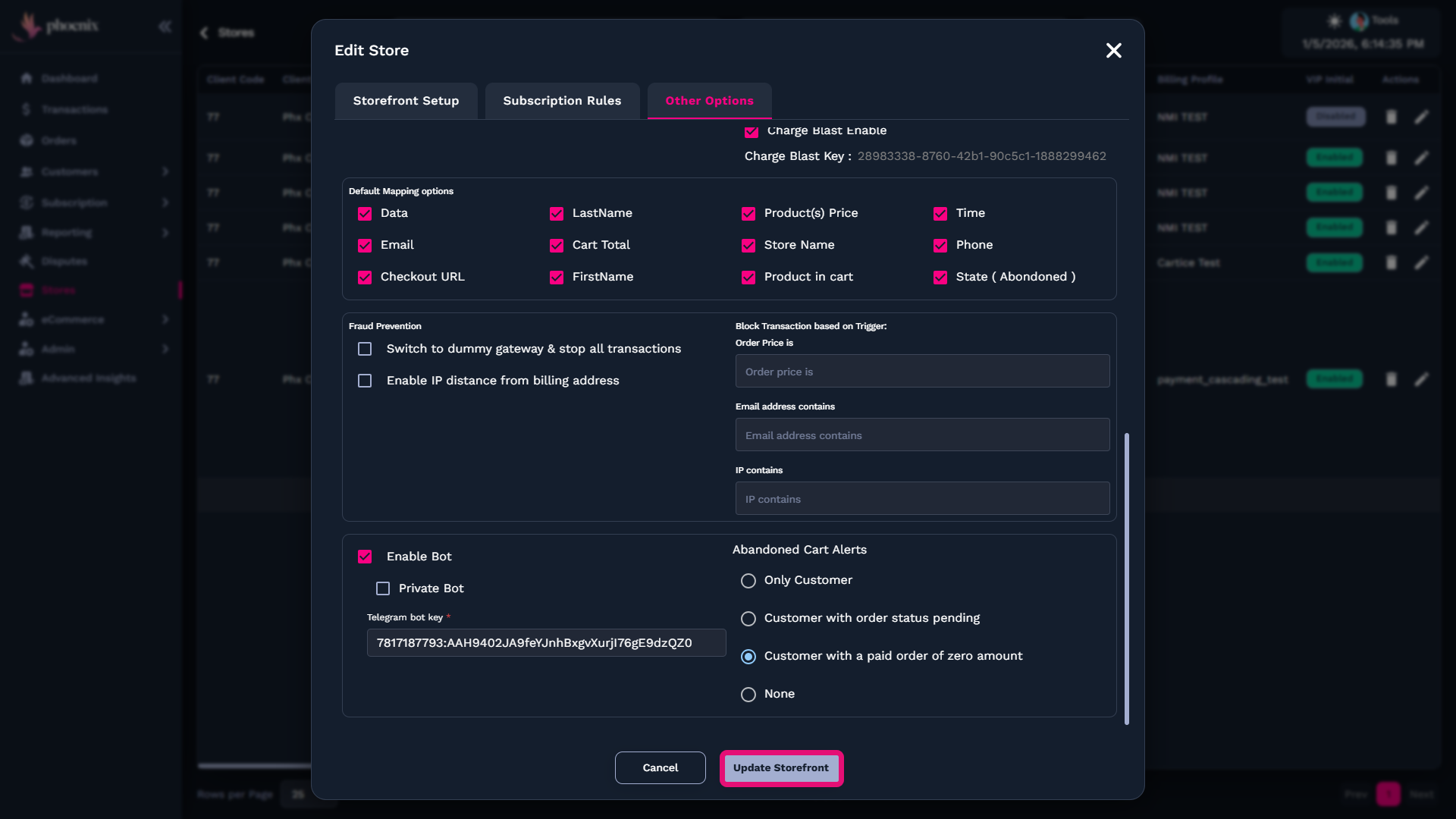
Once the update is complete, your abandoned cart settings are saved and will apply to all future abandoned cart events for that store.
Related Guides
If you want to continue configuring store settings and integrations, review these guides: